
◆ StereoPick software
Program 3D picking systems intuitively
Train, simulate and deploy your 3D picking system yourself. One tool, setup time from weeks to hours.
Click through the StereoPick software, from CAD file to live picksTap through the StereoPick software, from CAD file to live picks
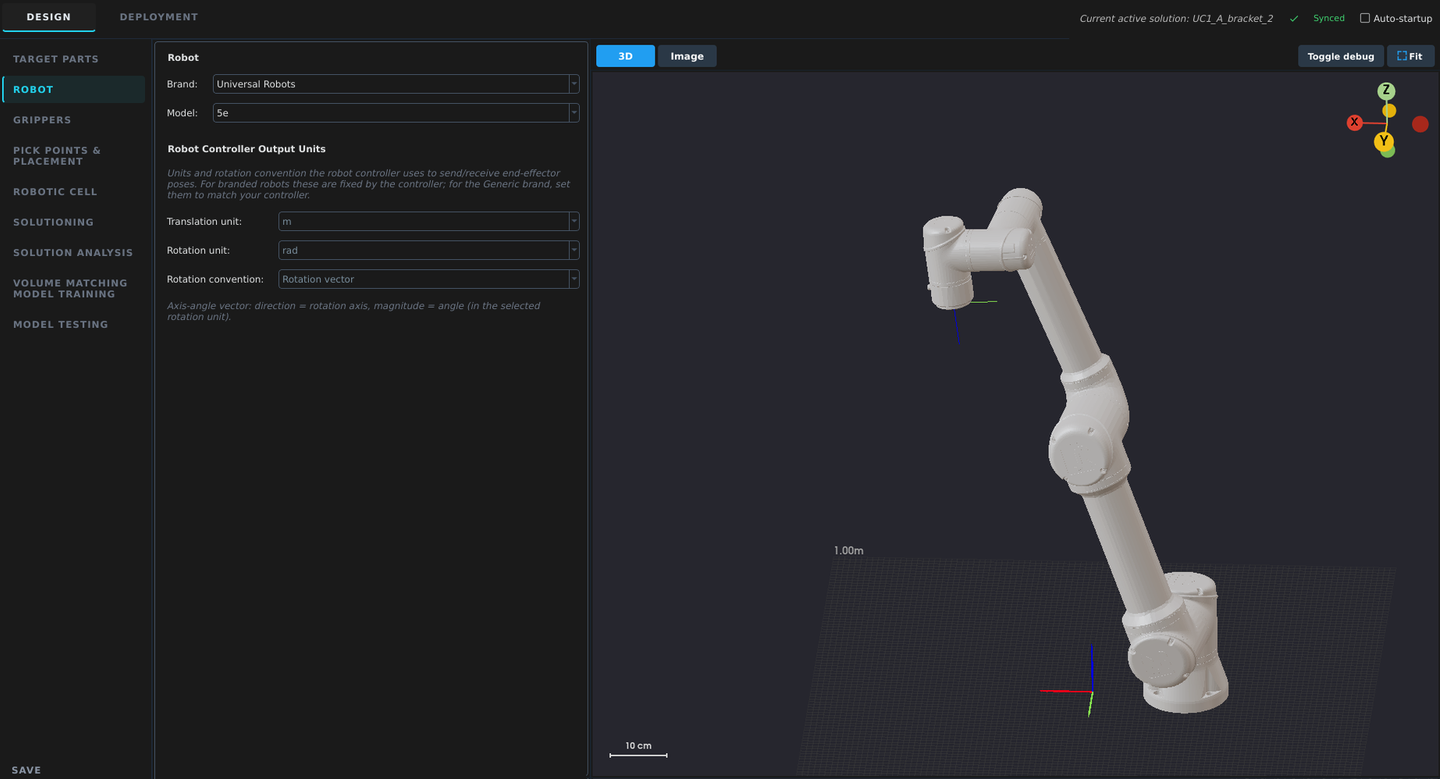
Step 1 of 6
Select the robot
Choose your robot brand and model. StereoPick loads its kinematics and connection settings.
1 tool
Train, simulate, deploy
0–10 images
Sim2Real training from your CAD
0 code
No vision expertise needed
100% local
Runs on the edge
01 / AI CAD Matching
Detect and pick parts with
AI CAD matching
Conventional CAD matching
- Searches a cluttered point cloud for the CAD shape
- Slow and unreliable on shiny or overlapping parts
- Every new part means re-tuning and fixing failed cases
StereoPick AI CAD Matching
- AI finds each part and its pose first, CAD refines it
- Reliable on complex, cluttered or shiny parts
- New part: import CAD, train AI model, deploy in hours
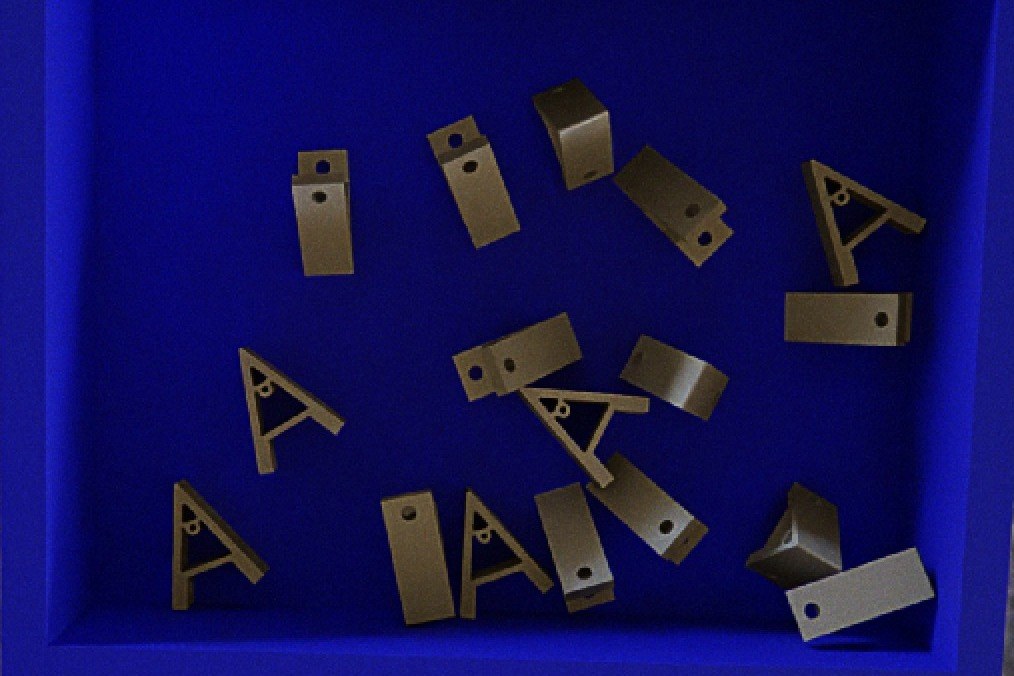
01Synthetic bin scene
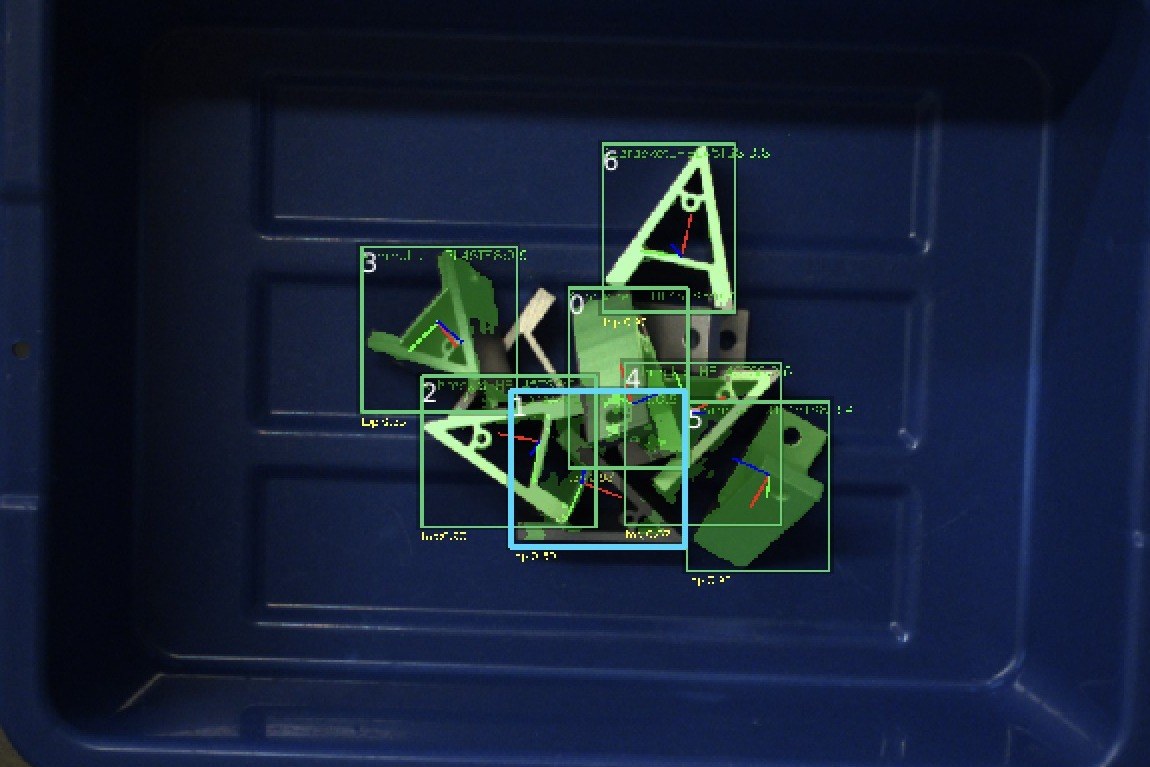
02AI object detection on actual 2D image
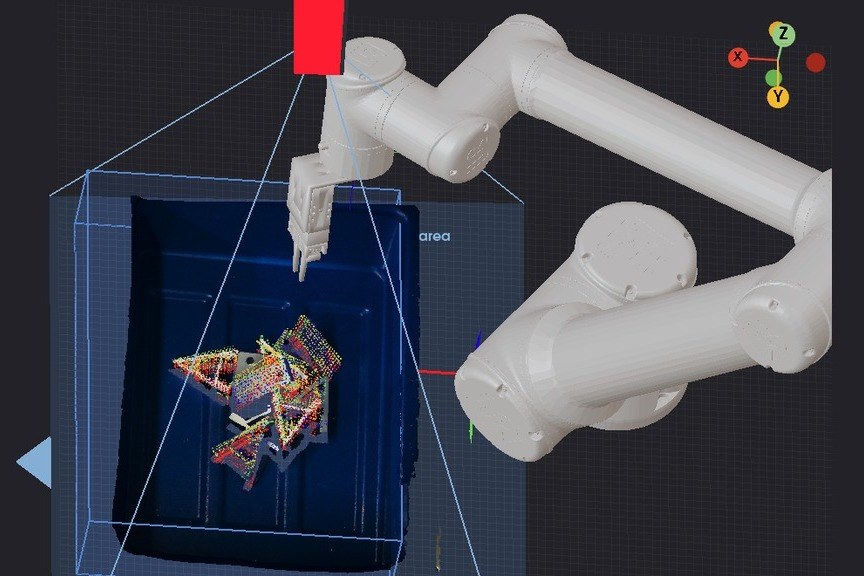
03AI pose estimation on actual point cloud
How Sim2Real works
- CAD file
- Synthetic bin scenes
- AI models self-train
- AI object detection + AI pose estimation
- CAD refinement
- Precise pick
02 / Masterless
No training required for
simple pick and place tasks
How it works
- 01Place the source bin containing the objects to be picked under the 3D Camera.
- 02Define or teach the placing positions.
- 03Watch objects picked from the source bin and dropped at the defined placing positions.
Best fit
- Boxes, bags, pouches and household items in logistics and e-commerce
- Singulated objects with a clear shape, such as boxes, bottles and gears, for example parts laid out in trays in manufacturing
Not a good fit
- Overlapping industrial parts
03 / Features
Your team owns the cell, from setup to production
A
Built for everyone
Cut reliance on vendors. StereoPick was designed to be used by anyone without programming or vision expertise.
B
Runs on the edge
No cloud connection required. Your CAD files, images and process data never leave your network. An optional secure training server is available for faster training.
C
Simulate the cell before you buy hardware
Check your cell design in simulation before you order anything. StereoPick shows where picks fail and suggests fixes.
D
Synthetic training data
Eureka trains itself on rendered images from your CAD file, so a new part needs zero to ten real images instead of hours of labeling.
E
Add new parts yourself
New SKU, new gripper or a changed cell: run it through the same wizard. No integrator call needed.
F
Pick and monitor in production
Deployment mode connects the robot, calibrates the cell and tracks every pick once it runs.
Find an integrator
Work with a Eureka-trained integrator in your region to deliver the full cell.